Integration
The Integration section in Administration allows you to configure connections between Doxis Doc Gen and external services such as signing providers, authentication, messaging, and APIs.
Digital Signing
Doc Gen supports integration with external e-signature providers.
Currently supported providers include:
-
Signicat
-
Verified
-
Signicat is provided through Doc Gen and billed based on usage
-
Verified requires a separate account and is billed directly by Verified
SMS
The SMS Notification service allows you to send messages to users, typically used for notifications and authentication.
Configuration
To set up SMS:
- Provider – The SMS service provider
- UserId – Your provider account ID
- Password – Your provider credentials
BankID
The BankID Authentication integration enables secure identity verification for users.
It is commonly used for:
- Authentication before accessing Smartforms
- Secure approval processes
Configuration
To configure BankID:
- Select a provider (e.g., Verified or Scrive)
- Enter:
- UserId
- Password
- CompanyId
Authentication methods
Available methods may include:
- BankID
- MitID
Digital Archive
The built-in Archive can be configured to match your organization’s needs.
Features
| Feature | Description |
|---|---|
| Webhooks | Send notifications to external systems when new documents are uploaded |
| Folders | Define folder structure and control access using access groups |
| Columns | Customize column labels (system variables remain unchanged internally) |
API Clients
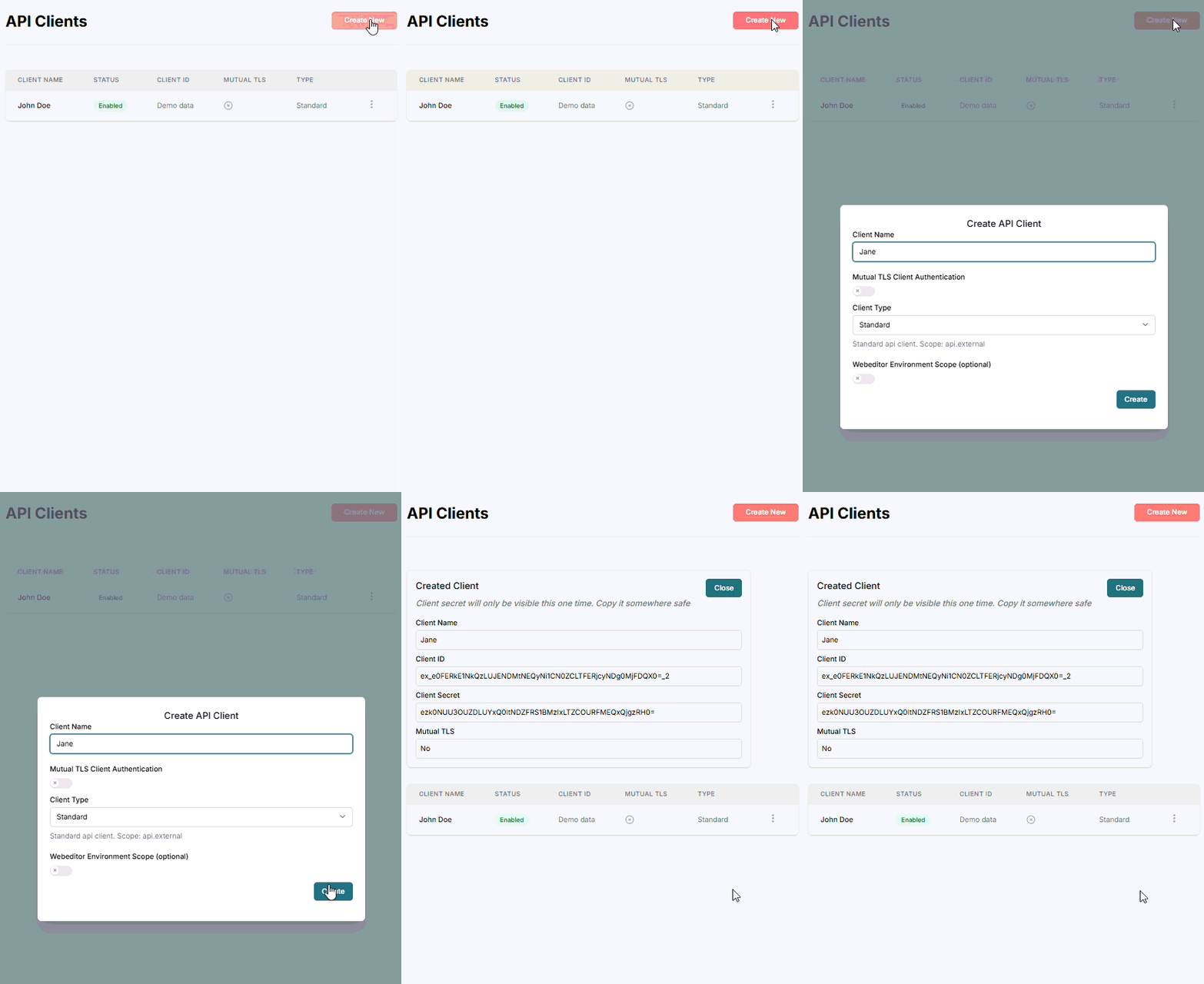
To use Doc Gen APIs, you must register an API client.
- Create a new client
- Receive:
- Client ID
- Client Secret
⚠️ The client secret is only shown once during creation.
If lost, you must create a new API client.
Audit log forwarding
The Auditlog Forwarding feature allows you to send system logs to external systems for monitoring and analysis.
Configuration
- Status – Enable or disable log forwarding
- Type:
- Rest API – Send logs to an external endpoint
- Console – Output logs in JSON format to the console