Support
The Support application allows you to report issues and submit support requests directly from Doxis Doc Gen.
When you create a support request, a ticket is generated in the connected ticket system.
You will receive email notifications whenever the status of your ticket changes.
Access to the Support application depends on your organization’s subscription and permissions.
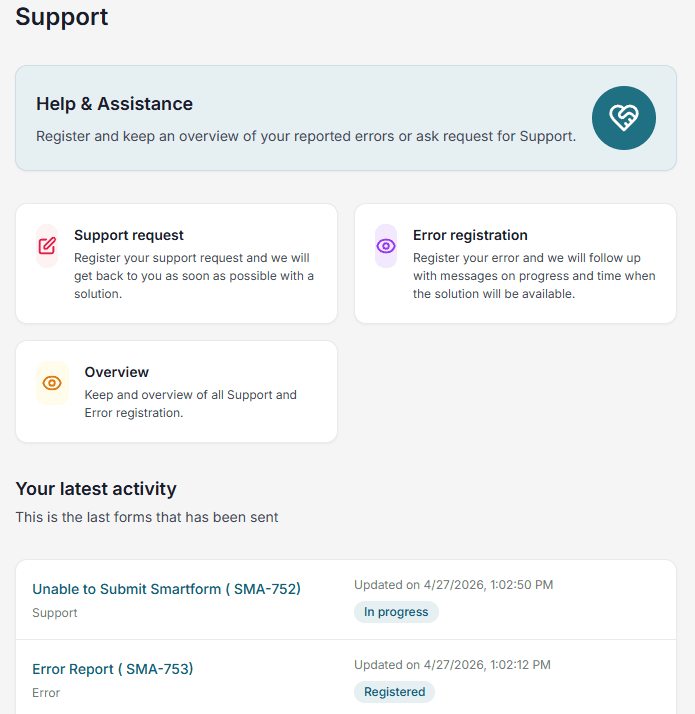
Create an error or support request
Both Error and Support requests follow the same process.
Steps
- Open the Support application
- Select either Error or Support
- Fill in the form with relevant details
- Click Submit
After submission:
- You will receive a confirmation email
- The email includes a ticket number
- The ticket will be visible in the Overview
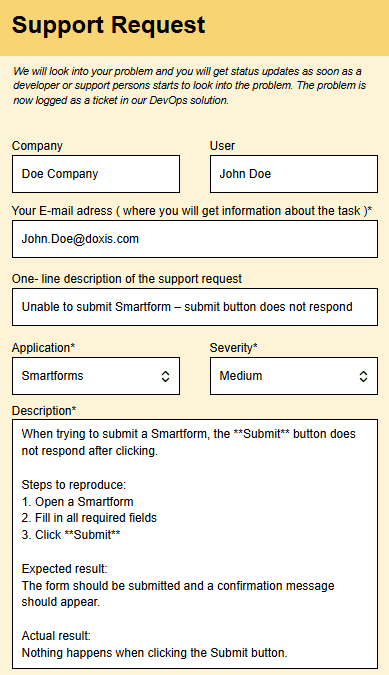
Best practices
When describing an issue:
- Provide as much detail as possible
- Include step-by-step instructions to reproduce the issue
- Mention expected vs. actual behavior
This helps support teams resolve your request faster.
Overview
The Overview displays all support requests and reported issues.
Features
- View all submitted tickets
- Track current status (automatically updated from the ticket system)
- Receive email notifications on status changes
- Identify tickets using ticket and reference numbers
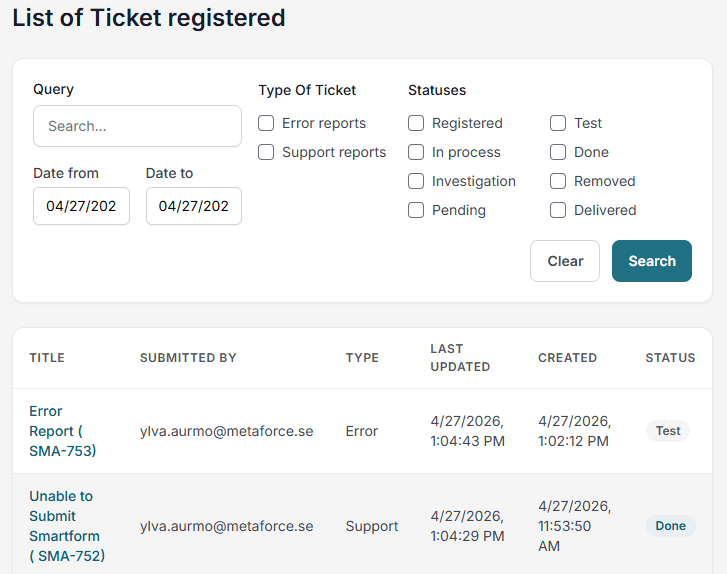
Filtering
You can filter the list by adjusting the filter options at the top of the page.