Signature
The Signature application is available from the Doxis Doc Gen homepage.
It allows you to digitally sign PDF documents using a configured third-party electronic signature provider.
Available signature providers are managed in the Administration application.
Overview
| Feature | Description |
|---|---|
| Sign document | Digitally sign one or more documents with one or more recipients |
| Overview | View all signing orders, including completed and ongoing processes |
Home
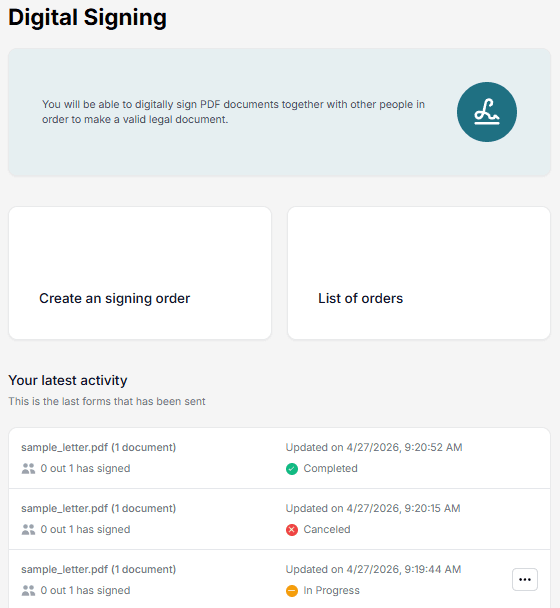
When opening the Signature application, you can:
- Create a new signing order
- View existing signing orders
Create a signing order
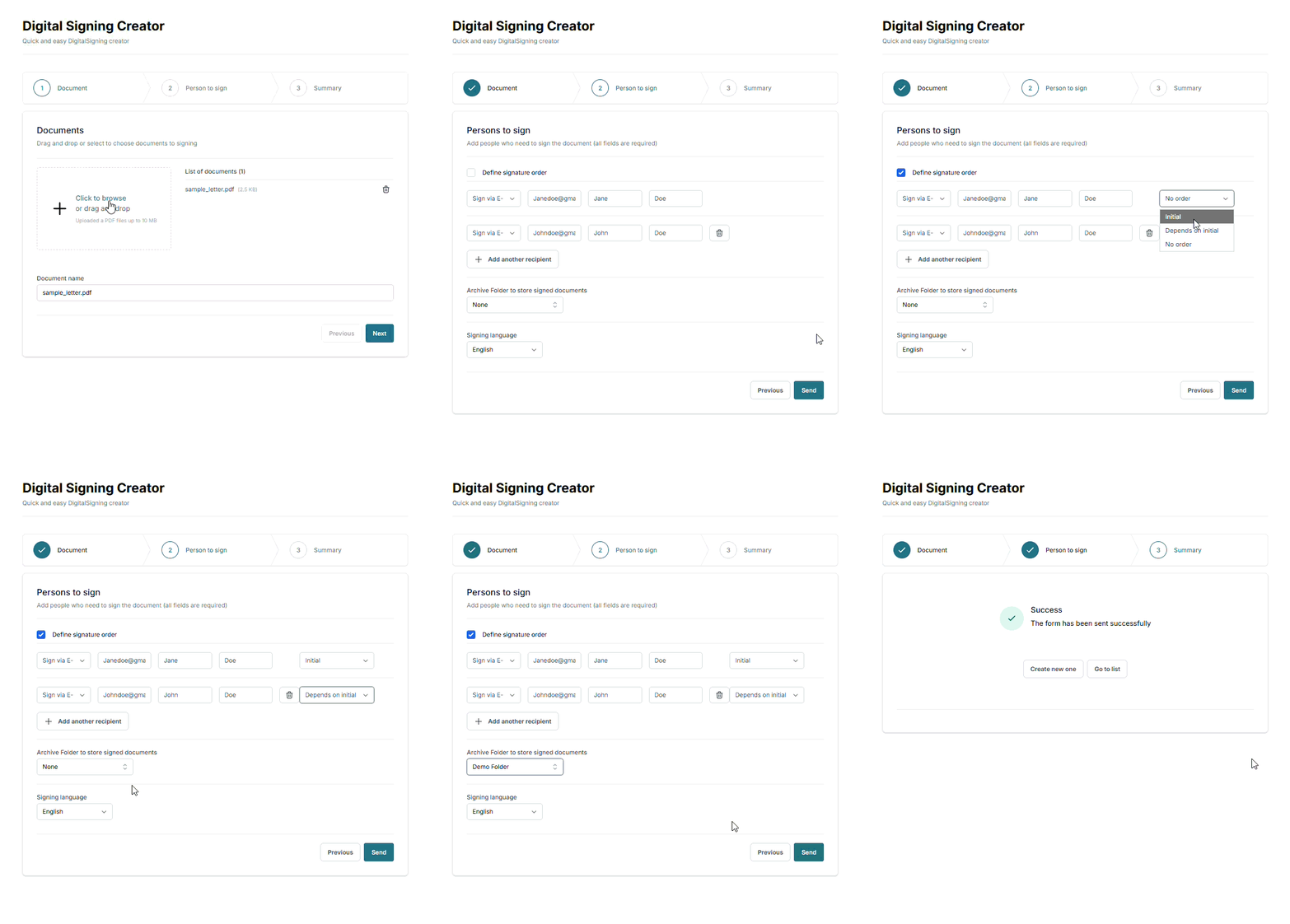
To sign a document:
- Click Create a signing order
- Upload one or more PDF files
- Add recipients (signers)
- Define the signing order if multiple recipients are involved
- Click Send to start the signing process
The signing order is then sent to the configured signature provider, and the process begins.
List of orders
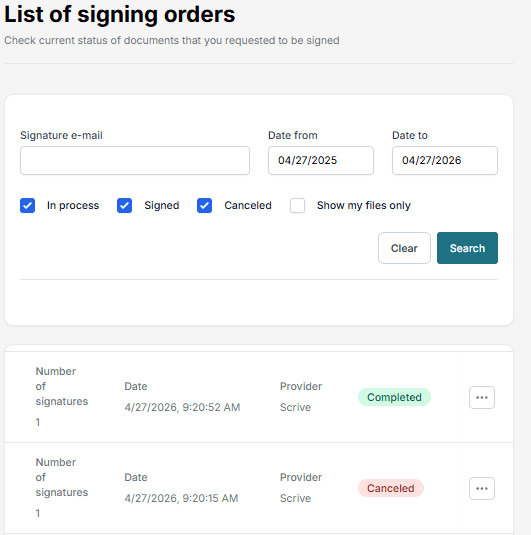
The Overview shows all signing orders, including:
- Completed orders
- Orders in progress
- Cancelled orders
From the list, you can:
- Click a signing order to view details
- See who has signed and who is still pending
- Cancel an ongoing signing process using the ⋯ (three-dot menu)
Signed documents are automatically sent to recipients by email.
You can also download a ZIP file containing:
- The signed documents
- An XML file with metadata
Notes
- Only PDF files can be signed
- Signing order determines the sequence of signatures
- Availability of providers depends on system configuration