Studio
The Studio application is where you create and design Smartforms in Doc Gen.
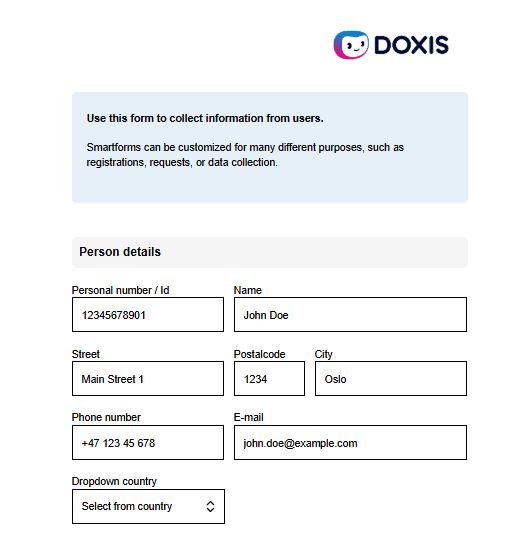
A Smartform is a digital form or document. It can include text, input fields, images, videos, and other elements. Smartforms replace paper forms and make it easier to collect and manage information.
A Dialog is a process that uses one or more Smartforms to collect, update, or present information. A Dialog can be started from Doc Gen or from external systems using APIs (for example REST API or Salesforce). Smartforms can also be connected to workflows, where different steps happen based on user input or system actions.
Overview
Doc Gen Studio lets you build interactive forms and documents without coding.
You can:
- Create forms using ready-made elements
- Add input fields and validations
- Control access and security
- Connect to other systems
- Support multiple languages
This replaces manual and paper-based processes with efficient digital solutions.
Studio uses reusable components. This means you can reuse elements, templates, and styles across different Smartforms. This saves time and keeps a consistent design.
Key capabilities
With Doc Gen Studio, you can:
- Add form elements (text, input fields, buttons, images, etc.)
- Create multi-step processes with workflows
- Translate Smartforms into different languages
- Connect to external systems using APIs
- Enable digital signatures
- Control access using e-mail, SMS, or BankID
- Use templates and reusable components
- Set up reminders and notifications
- Store data using archive integrations
- Trigger actions using Webhooks
Example
A simple example of how Studio can be used:
- Create a Smartform to collect customer information
- Add input fields for name, email, and address
- Add validation to ensure required fields are completed
- Connect the form to a workflow for approval
- Send the form to users through a Dialog
This ensures the process is structured, automated, and easy to manage.