Variables
Smartform variables can be used within a smartform to use them into other elements or insert external values. There are four types of variables :
Internal Variables - {{ }}
An element is recognized with a Property value. By trying to fill in the property value into for instance a text field like this {{ InputName }} the field will get colored and when the field with property Input Name gets a value it will also be displayed where it is used as a variable.
Internal variables is very useful in combination with text : “Dear {{ InputName }} , we are very happy…”
Datatable value - [[ ]]
This is another type of external data that can be used in a smartform for display values. A typical usage would be when somebody are to change an address etc, then you could add the address as datatablevalue so you always can show the user what the previous address registered were when they make their changes.
In order to use datatable values within a smartform you just include then into double brackets like this:
[[ Variable ]]
Datatable values can be supported by REST API calls when creating a smartform. You then need to include this section into the json body:
    "datatablevalue" :
    {
        "Street":"Harbour street 23",
        "Postalcode":"0234",
        "Postalcity":"Stockholm",
        "Country":"Norway"
    }
In order to use this in a smartform text you would type : ” We have registered that you live in [[ Country ]] ” The variable will show in blue in the Studio application to indicate that you have entered it correctly. Remember to have space on both sides of the variable within the brackets.
SmartTable reference - << >>
This is a reference to a Smart Object’s table data. Unlike {{ }} and [[ ]], it is not typed inline into text - it appears automatically once a SmartTable element on the canvas is bound to a Smart Object, showing the reference in double angle brackets, colored green to indicate it is correctly linked:
<< smartCarTable >>
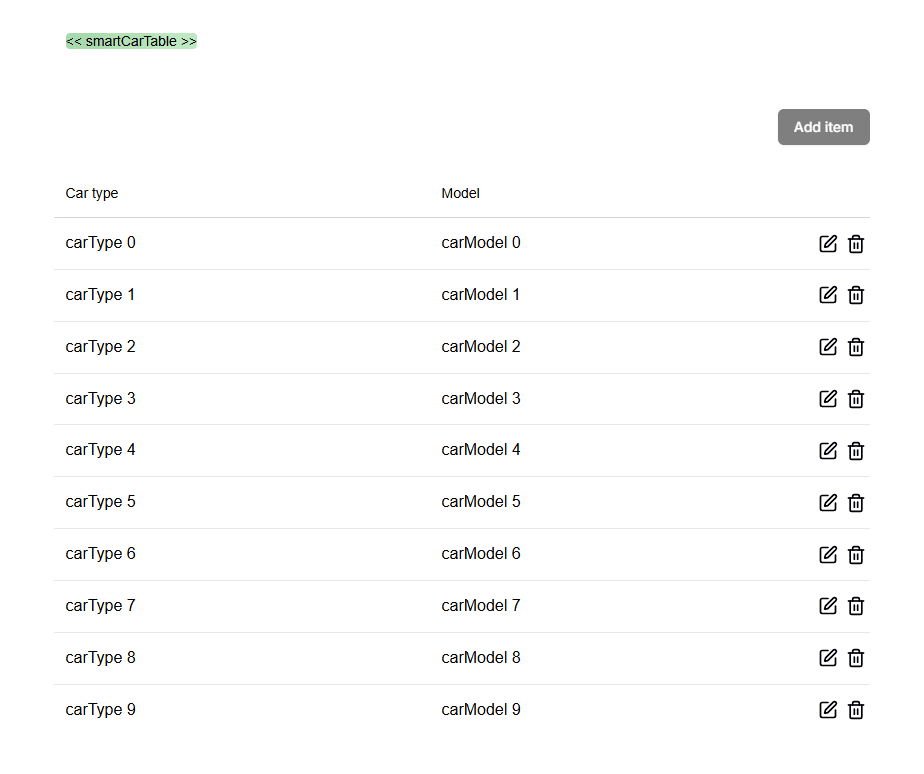
When the smartform is opened, the SmartTable renders as an interactive table with the Smart Object’s properties as columns. Users can add, edit, and delete rows directly in the form:
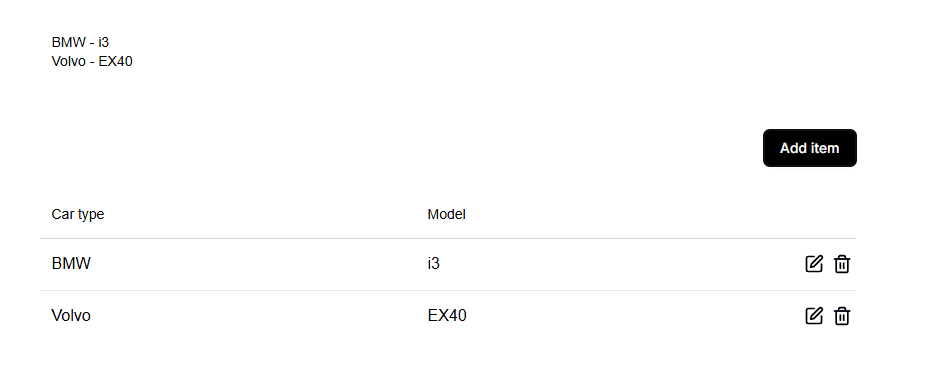
Row data can come from either source, depending on your setup:
- Predefined rows configured in the Smart Object template itself in Studio, or
- Rows supplied via the REST API when creating the smartform, the same way as for any other element: nested under
valuesand keyed by the SmartTable element’s property name (shown in Studio’s Properties panel), not the Smart Object’s name. Include an array of objects whose keys match the Smart Object’s properties:
    "values": {
        "smartTable-e3f0": [
            { "carType": "BMW", "carModel": "i3" },
            { "carType": "Volvo", "carModel": "EX40" }
        ]
    }
External MetaData
External MetaData are variables given from a calling system to be included into the smartform payload. A typical area would be to use External MetaData to help connect the smartform with values in a calling system. If the calling system is for instance Salesforce, it might be that you would like to add a key that will help in mapping to a case, contact etc.
Example on how to include externalMetaData:
    "externalMetaData" :
    {
        "CRMTaskid":"12345678"
    }