Dialog
Dialog is the application in Doc Gen, where a User in your organization finds the Smartforms and Dialogs (communication processes) that has been validated by your organization and that the User is authorized to use. In the Dialog application, you can also upload any other PDF for signing. As a user, you have access to an overview table to track the processes you or your colleagues have started.
| Feature | Explained |
|---|---|
| Send smartform | Send a Smartform to one or several people (Recipients) |
| Sign Document | Send out and sign one or several PDF files |
| View | Shows an overview of SmartForms and signed documents |
Home
The Dialog Homepage is where you, as a User, send out Smartforms that you are authorized to handle in accordance with your role. This is also where you start a digital signing process for PDF documents. Your Dialog Homepage also shows the latest Smartforms that you have used and their status.
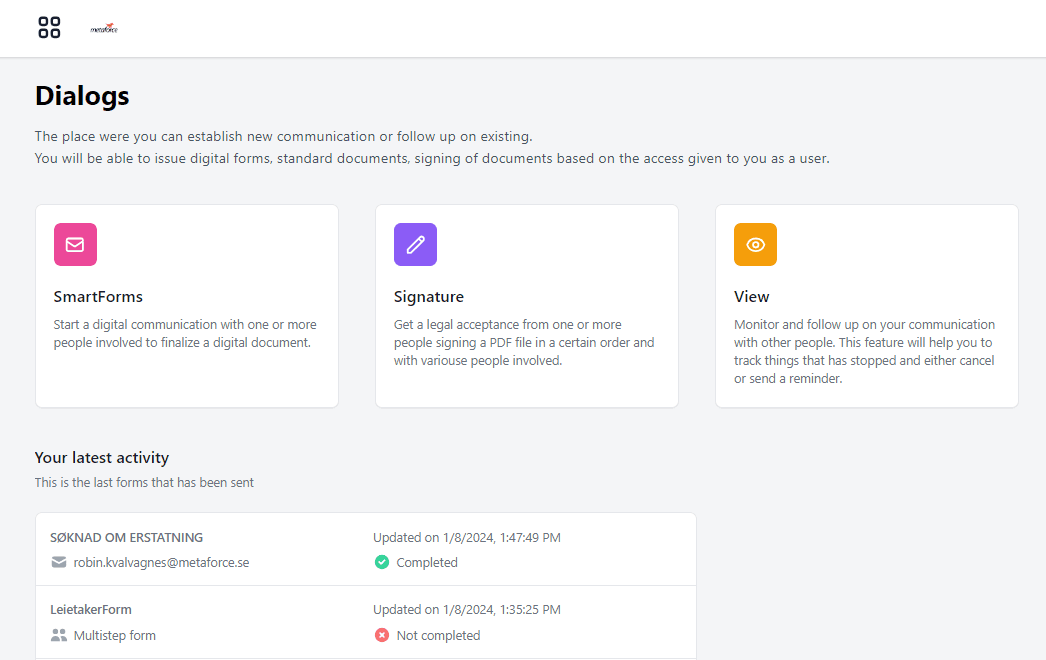
Smartforms
You can search for Smartforms by clicking the Smartforms icon on your Dialog homepage. You can also select between the Smartforms you have used most recently.
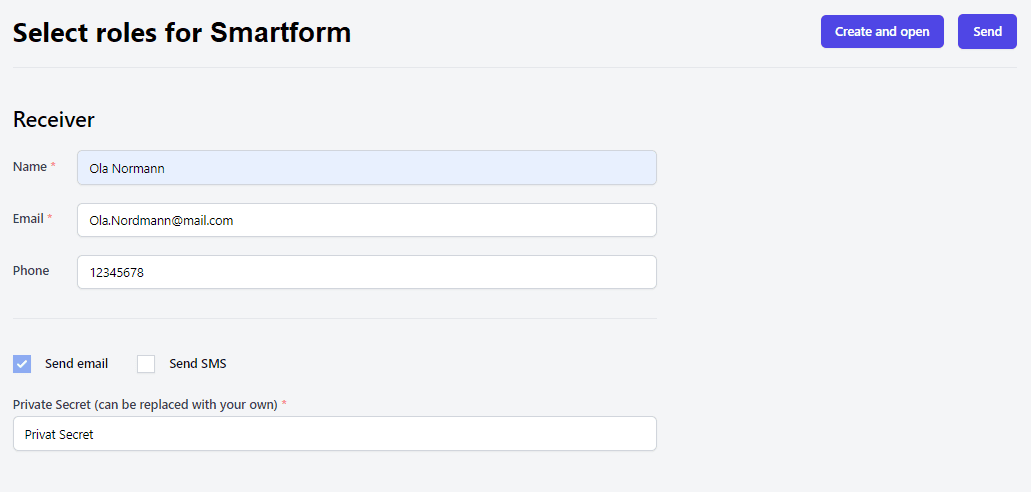
To send a Smartform/Dialog to a Recipient, you must fill in the information for the Recipients. Once completed, you can hit the send button in the upper right-hand corner of the screen.
The private secret functions allows you as a User to write something that the Recipient will recognize and trust to click the link in an email or SMS message from you. For instance, in a conversation with a customer on the phone, you could ask what the customer’s grandma’s maiden name was and include that in the email or SMS message – Private Secret: Your grandma’s maiden name was Smith.
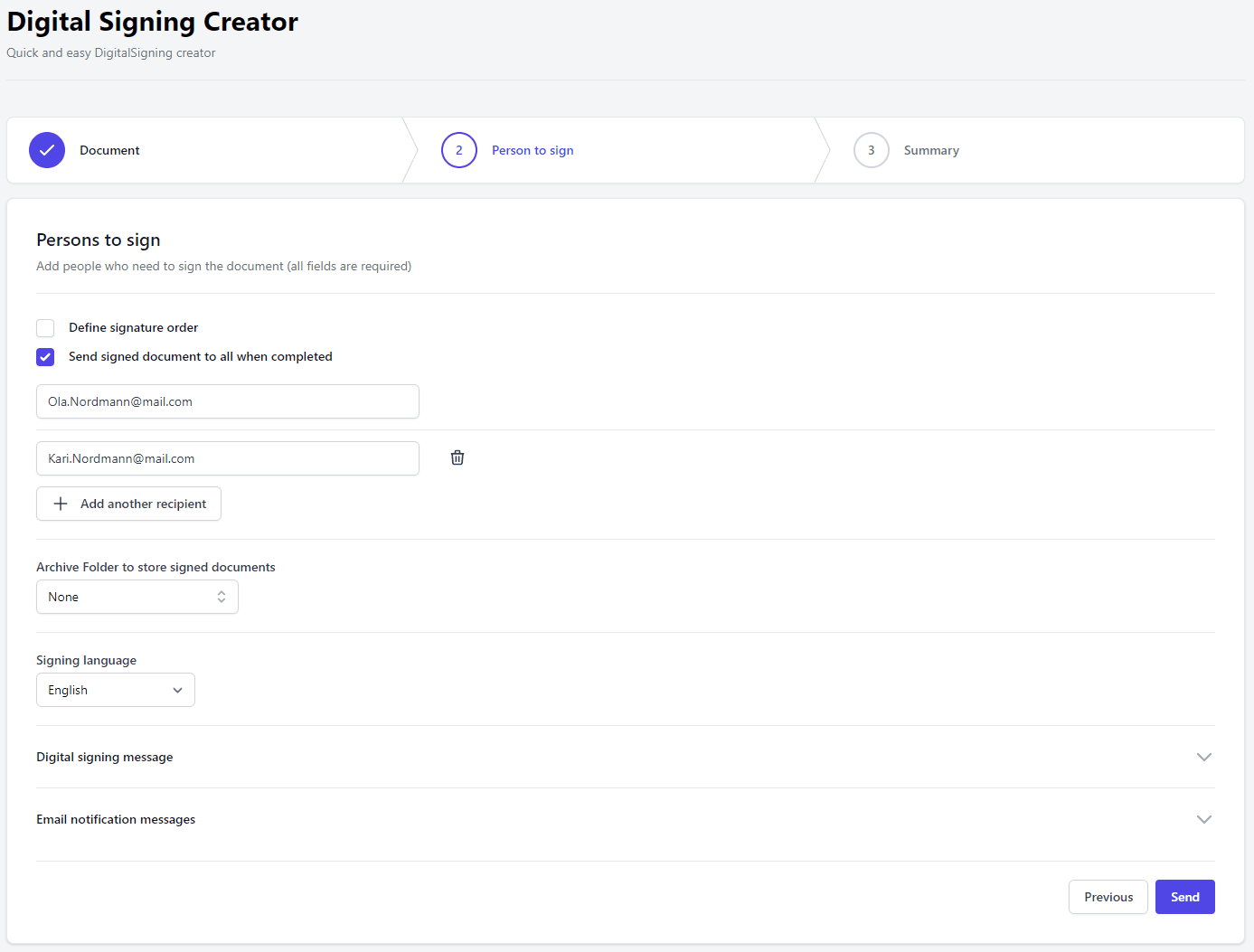
Signature
The Signature application in your Dialog Homepage is an easy-to-use three-step process that allows you to send a PDF file for digital signing to one or more people. The signed PDF will be stored in the Centerpoint Archive together with the XML from Signicat. The signing parties will, of course, also receive a copy for safekeeping.
View
This function in your My Dialog application gives you, as a User, an overview of all Smartforms and digital signing tasks that have been performed and their statuses.