Themes
The Themes page allows you to create and manage reusable visual styles for your Smartforms.
Instead of only adding custom CSS, you can now configure themes using multiple structured tabs that control layout, styling, and behavior across forms.
Themes ensure a consistent look and feel across your Smartforms.
Accessing Themes
- Go to Studio → Themes
- Create a new theme or open an existing one
- Configure the theme using the available tabs
Theme Configuration Tabs
A theme consists of four main configuration areas:
1. Default Values
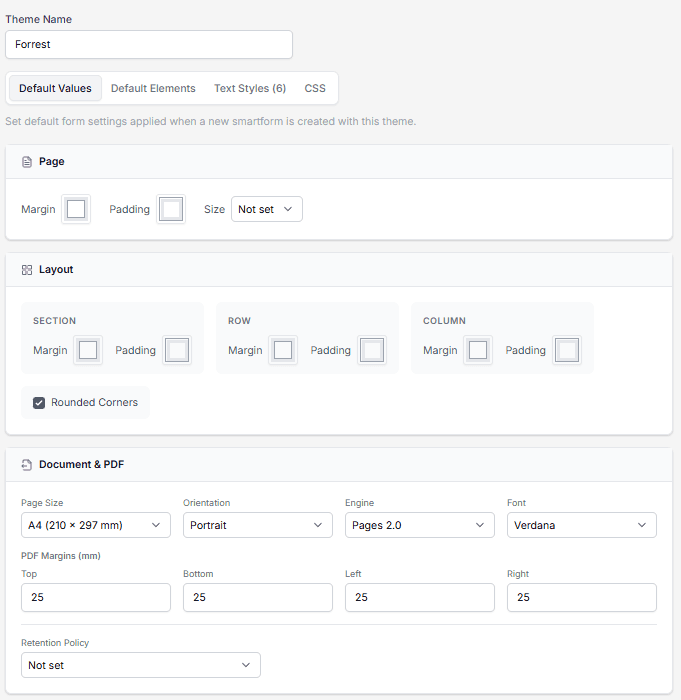
Define default layout and document settings applied when a new Smartform is created using this theme.
Sections include:
-
Page
- Margin
- Padding
- Size
-
Layout
- Section (margin, padding)
- Row (margin, padding)
- Column (margin, padding)
- Rounded corners option
-
Document & PDF
- Page size (e.g., A4)
- Orientation (Portrait / Landscape)
- Engine
- Font
- PDF margins (Top, Bottom, Left, Right)
- Retention policy
2. Default Elements
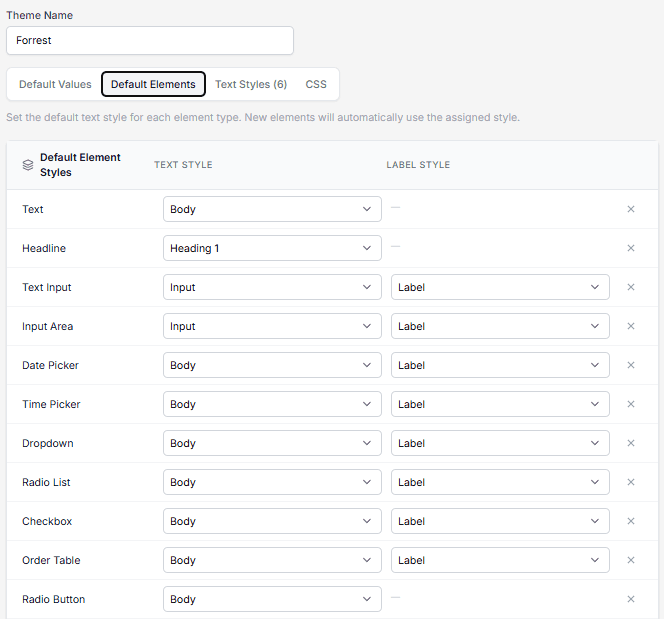
Define which text styles are automatically applied to different Smartform elements.
Each element type can have:
- A Text style
- A Label style (if applicable)
Examples:
- Text → Body
- Headline → Heading 1
- Input fields → Input + Label
- Dropdown, Checkbox, Radio → Body + Label
New elements added to a Smartform will automatically inherit these styles.
3. Text Styles
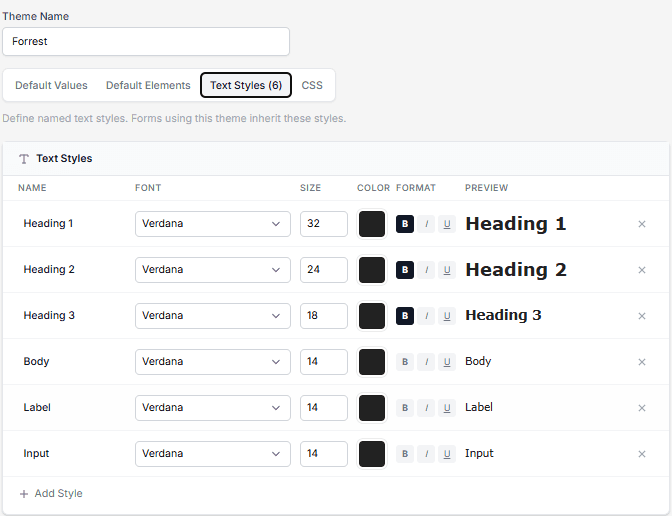
Create and manage reusable text styles used across your Smartforms.
Each style includes:
- Name
- Font family
- Font size
- Color
- Formatting (bold, italic, underline)
- Preview
Default examples:
- Heading 1
- Heading 2
- Heading 3
- Body
- Label
- Input
These styles are referenced in Default Elements.
4. CSS
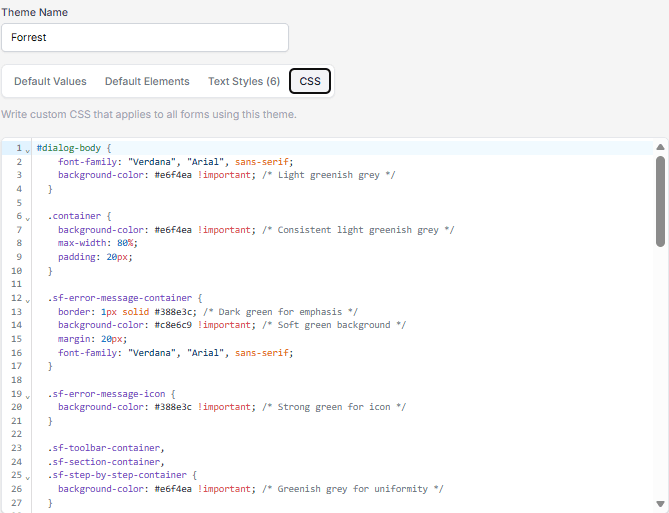
Add custom CSS for advanced styling.
Use this tab when:
- You need styling beyond standard configuration
- You want to override specific UI components
- You require precise control over layout or colors