Versions
When you work on a Smartform, it will automatically be saved every time you make changes. If you want to make your changes visible you need to Publish the Smartform. This will also create a new version. Every version is kept in the repository, and you can rollback to previous versions from the Version screen. All you need to do is to point at the Smartform you would like to rollback to and then push the rollback button.
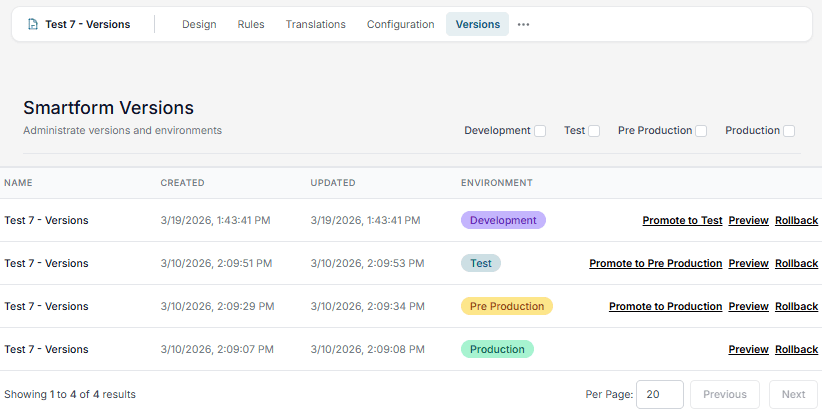
When rolling back a Smartform to a previous version, you will get two options. If you want to overwrite the version you are working with or select the second option. If you just want to roll back the active version and keep your work in progress, select the first option.
📝 Note: You need to check the checkboxes in the top right to see versions.