Smartform Templates
The Smartform Templates section allows you to create or import predefined smartforms that can be reused when building new forms. Templates help you save time by reusing layouts, styles, and configurations you’ve already set up.
Creating a Template
- Navigate to Templates → Smartform.
- Click New Template.
- Build your smartform as usual.
- Once complete, set the template to Active to make it available when creating new forms.
Importing a Template
- Click Import Smartform to upload an existing smartform template from a file.
Using a Template
When creating a new smartform:
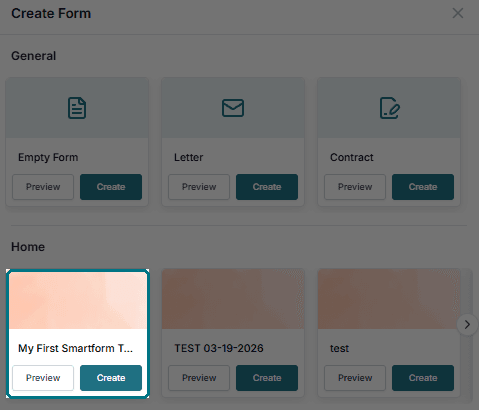
- Go to Create New Smartform.
- Under the Home section, find your template.
- Click Create.
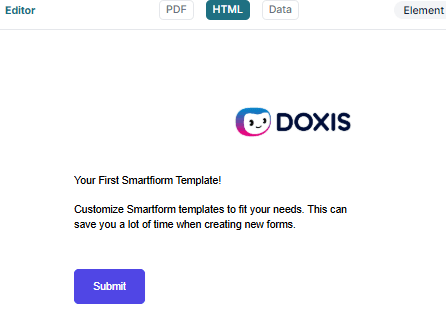
- The new form will be pre-filled with the design, structure, and settings from the template.
💡 Tip: Only Active templates will be visible in the “Templates” section when creating a new smartform.