Deploy
The Deploy page allows you to move Text Library content between environments in a controlled and structured way.
All new or updated content starts in Development, and you choose which groups to promote to the next environment.
Deployment flow
Content moves in a fixed sequence:
Development → Test → Pre-Production → Production
You cannot skip environments. Each step must be completed in order.
What is included
When deploying a group, the following is included:
- The group itself
- All text elements within the group
- Related styles and table styles
⚠️ Draft elements are not included in deployments.
Deploy overview
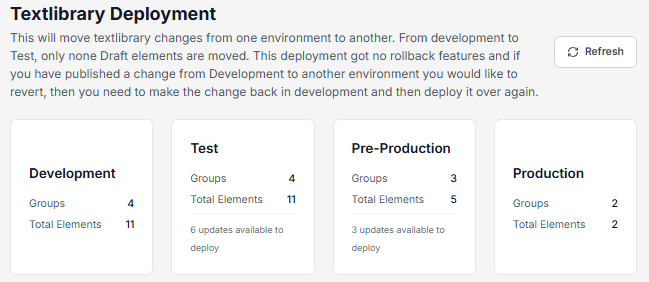
The Deploy page shows each environment with:
- Number of groups
- Number of text elements
- Available updates
You can use Refresh to update the overview.
Deploy content
To deploy changes:
- Go to Text Library → Deploy
- In the Development environment, click Deploy
- Select one or more groups
- Click Deploy to move them to the next environment
- Repeat the process for:
- Test → Pre-Production
- Pre-Production → Production
Only selected groups are deployed.
Notes
- Draft elements are excluded
- No rollback is available — changes must be updated in Development and redeployed
- Deployment order is fixed and cannot be changed