Dashboard
Overview
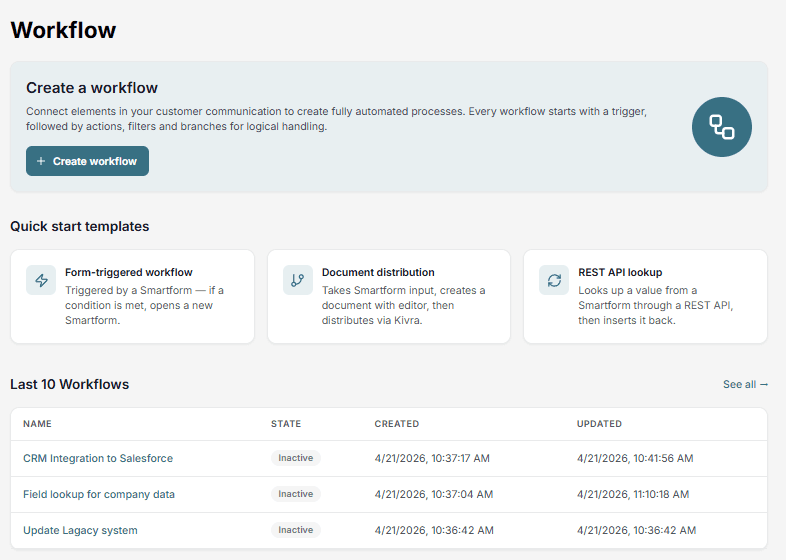
The Dashboard is the starting point of the Workflow application in Doc Gen. It gives you quick access to create workflows and view your most recent ones.
Create a new workflow
You can create a workflow in two ways:
Create from scratch
Click Create workflow to start with an empty workflow.
Use a template
Choose from predefined templates:
- Form-triggered workflow – Start from a Smartform interaction
- Document distribution – Generate and send documents
- REST API lookup – Fetch and populate data from external systems
Latest workflows
The Dashboard shows your last 10 workflows.
- Click a workflow to open it
- Use See all to view the full list